- extended_license_text = Extended license til end Dec 1969
- when_trial_ends = on 1st Jan
- slide_version = 2025-05-18
Slide variables
- only for checking by presenter before starting -
- please skip this page -
Page Down/Up to go forward/backward
Useful hardware links
-
Laptops
- Lenovo - https://vxcharts.com/r/buy/thinkpad
-
Networking (for wired internet)
- TPLink homeplug - https://vxcharts/r/buy/homeplug
- USB A to LAN - https://vxcharts.com/r/buy/usb-a-lan
-
External displays (for connecting 2nd external monitor)
- USB to HDMI - https://vxcharts.com/r/buy/usb-hdmi
Page Down/Up to go forward/backward
By Teik Seong (TS)
Slides dated: 2025-05-18
Before we begin...
- Admin
-
Email with slides/info/promotion code
-
Focus, slide #, personal notes
-
YouTube @ https://vxcharts.com/video
-
Sessions are recorded, Spacebar to unmute
- Voice preferred, post questions to all in chat
-
-
Speaker
- Create software including VXCharts + trading
Let's start!
Aim!
-
3 support groups
Who does what?
- Correct Trading Jargon
Helps communicate clearly
- Up to speed with VXCharts
Trade like a winner

(Important stuff will be repeated)
The big picture
1. Trader (You)
Decide & Trade
- Decide = Strategies + Charts
- Trade = Buy/Sell through Broker
- Charts are created from data
How are we related?
4. Broker
3. VXCharts
2. Concept Of Price
What is VXCharts?
An application that gives you
a picture of the market in realtime

What is VXCharts?
Perform calculations to convert
Data (numbers) into charts...
How?


..while ensuring the Data is timely

Lagmeter
Do not trade when yellow or red
Shorter is better, color changes as it grows longer
Timely Data?
Empty = No lag, Green = 1-3 seconds
Yellow = 4-6 seconds, Red = > 6 seconds
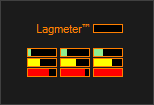
Shows amount of delay in Data
Is VXCharts easy?
Windows (2000/XP/Vista/7/8/8.1/10)
Intel i5 or better
Authorized broker account for data & Internet access to receive it
What does it need?
Yes! And it is also specially customized for
Concept Of Price
Brokers?
Cannon (partnering StoneX/CQG^)
thinkorswim
Interactive Brokers
... many others

^ White label brokers, similar to travel insurance from airlines
Must have a broker?
- Liaison between you and market (other traders)
- Provide Broker App(s)
- Provide Live Account
- Gives you Data for charts
- May provide Demo account
- However, Data has a 10 minute delay
(Fund your Live account before Demo account expires)
Yes. Why?
2 types of Data
Test - Data from the past
Live - Current real time data
2 types of Trade
Test - Virtual money, not real
Live - Real hard earned cash
Broker gives you Data to Trade
Quiz:
Can you Live trade Test data?
The difference is like a recorded vs live soccer match.
And you only need 1 type of data at a time, not both.
Ans:
No, you can't. Doing so is like placing a bet now for last night's soccer match. No one is going to accept your bet.
| What it does | LIVE Data | TEST Data | LIVE/TEST Charts | LIVE Trade | TEST Trade |
|---|---|---|---|---|---|
| LiveES - Charts | ✔ | ✘ | ✔ | ✘ | ✘ |
| TestES - Charts | ✘ | ✔ | ✔ | ✘ | ✘ |
| TestDOM - Ladder | ✘ | ✘ | ✘ | ✘ | ✔ |
Which Data to use?

TestDOM / TestES - TEST Data from VXCharts, Playback
LiveES - LIVE Data from broker
| Modes in Broker App | LIVE Data | TEST Data | LIVE/TEST Charts | LIVE Trade | TEST Trade |
|---|---|---|---|---|---|
| Demo | ✔ | ✘ | ✘ | ✘ | ✔ |
| Live | ✔ | ✘ | ✘ | ✔ | ✘ |
What the broker app provides
LIVE Data - all accounts provide LIVE data
Takeaway
- All accounts (DEMO/Sim. Live/LIVE) provide LIVE data
- VXCharts does not provide any account
- DEMO account expires after 30 days
- LIVE account must be funded
- LIVE account initially has no LIVE data (Contact broker)
-
Data is NOT FREE
- LIVE data included with DEMO account for 30 days
- TEST data included with VXCharts
- LIVE account provides LIVE data for Monthly fee
You need Data to Trade
What do I need to trade?
In short, 3 things...
Remember the big picture?
2. Charts
(from VXCharts)
1. Demo/funded Live account
(from your broker, not VXCharts)
3. Strategies
(from COP)
Anything else?
Wifi/Mesh/3G/4G internet is unreliable for trading
(Charts will lag or stop growing)
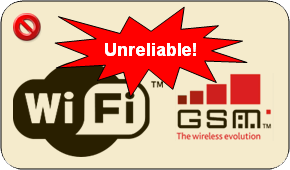
If you work in the financial sector, brokers require declaration when opening an account
(No account means no Live data)
and...
TPLink homeplug - https://vxcharts.com/r/buy/homeplug
USB A to LAN - https://vxcharts.com/r/buy/usb-a-lan
USB C to LAN - https://vxcharts.com/r/buy/usb-c-lan
Questions?
If not...
Mini Quiz #1
Do Demo/SimLive broker accounts provide demo data?
Without a broker account, can VXCharts show live charts?
Will the demo broker accounts given to you expire?
A: Yes, it lasts ~30 days. Must replace with a funded live account
A: No, must have an account, otherwise no live charts
A: No, all accounts provide only live data
Does VXCharts provide any accounts for data?
A: No, the only account you have is provided by the broker
Is wireless internet suitable for trading?
A: No, usually it works, but sometimes it does not
Installed Apps
- VXCharts
- VXCharts Folder
- COP Chatroom
- RustDesk
4 important icons on your desktop

Starting messages (1/3)

.png)
Start VXCharts
(Double click this icon)
User Account Control
(Click on Yes)
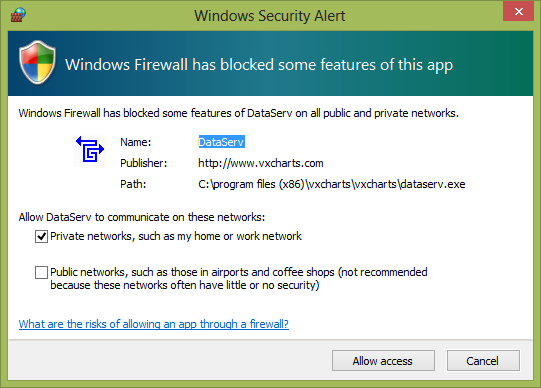
Firewall prompts
(Allow both VXCharts & DataServ)
Starting messages (2/3)

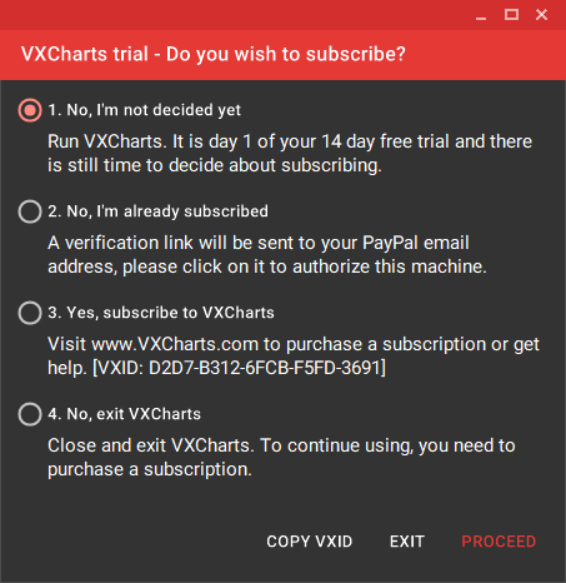
License Prompt
(Select 1 and click Proceed. Select 2 for subscribers)
Unable to synchronize clock
(Click OK, Usually due to no internet)
Starting messages (3/3)

Update Prompt
(Click Close, in future, click Update)
Launched!
To the left is Trial, to the right is Subscriber version


Personalize
In the Help menu, click on Personalize
Full name for Trade logs + Contact for better support
PayPal email to identify your subscription


| ID | SG Time | Sat | Sun | Mon | Tue | Wed | Thu | Fri |
|---|---|---|---|---|---|---|---|---|
| 1 | Apr - Oct | |||||||
| 2 | ||||||||
| 3 | 930pm | |||||||
| 4 | ||||||||
| 5 | ||||||||
| 6 | ||||||||
| 7 | ||||||||
| 8 | 415am | |||||||
| 9 | ||||||||
| 10 |
| VXCharts Playback | |
| VXCharts LiveES + DOM (DEMO/LIVE) | |
| Playback | TEST trade with TEST data |
| DEMO | TEST trade with LIVE data |
| LIVE | LIVE trade with LIVE data |
Market hours (CQG)
| ID | SG Time | Sat | Sun | Mon | Tue | Wed | Thu | Fri |
|---|---|---|---|---|---|---|---|---|
| 1 | Nov - Mar | |||||||
| 2 | ||||||||
| 3 | 1030pm | |||||||
| 4 | ||||||||
| 5 | ||||||||
| 6 | ||||||||
| 7 | ||||||||
| 8 | 515am | |||||||
| 9 | ||||||||
| 10 |
| VXCharts Playback | |
| VXCharts LiveES + DOM (DEMO/LIVE) | |
| Playback | TEST trade with TEST data |
| DEMO | TEST trade with LIVE data |
| LIVE | LIVE trade with LIVE data |
Market hours (CQG)
Link VXCharts and Broker
Click the LiveES button
Found at top left corner
If you see this instead,
it means internet was disconnected

.2.png)
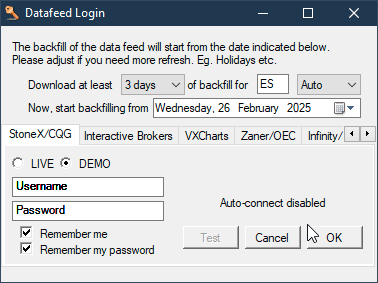
Live data from StoneX/CQG
- Select 3 days, StoneX/CQG and Demo
- Enter Broker Username + Password
- Check the 2 boxes and click Test (...please wait)
Symbol will change to ES after selecting StoneX/CQG
Remember, ALL accounts (Live/Demo) provide Live data
DataServ
If you see this, you have to try again

OR
Live data and charts may not work on weekends
DataServ
You can minimize this window, but...
DO NOT CLOSE IT!

RED messages indicate problems
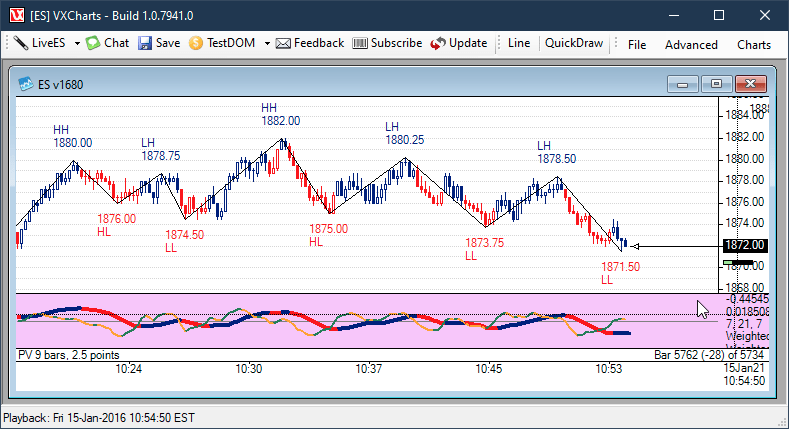
Done! Live data in VXCharts
LiveES is not required for TestES
Jargon (Good to know)
| Keyword | Explanation | |
|---|---|---|
| 1 | Placed | Clicked Book inside your Grab |
| 2 | Working | Waiting for Grab to find you a driver |
| 3 | Filled | Booked, Grab has found you a driver |
| 4 | Cancel | Cancel for free (only if no driver yet) |
| 5 | Exit | Repeat 4-7 for to go home/opposite trade |
Jargon (Memorize)
| Keyword | Explanation | |
|---|---|---|
| 1 | Remote | RustDesk, for technical support |
| 2 | DOM | Depth Of Market aka Ladder |
| 3 | Symbol | Symbol of e-mini S&P is EPxx, e.g. EPZ0 |
| 4 | Rollover | Symbol changes in Mar, Jun, Sep, Dec |
| 5 | DS | DataServ, the black color window |
VXCharts Hands On
Now, let's have a short quiz before we try Playback
Mini Quiz #2
Does VXCharts and DataServ need firewall access?
Do RED messages in DataServ indicate problems?
A: Yes. Please read the message carefully or contact us
A: Yes. Please allow both to access the internet
How many days of backfill do we need?
A: 3 days
Can DataServ be closed while trading live?
A: No. Closing it will cause your charts to stop growing
Can you place live trades from VXCharts?
A: No, place live trades only from your broker app
VXCharts Hands On
Before we try Playback...
LiveES is to get Live data,
it is not required during TestES (Test data)
Trade Logs
-
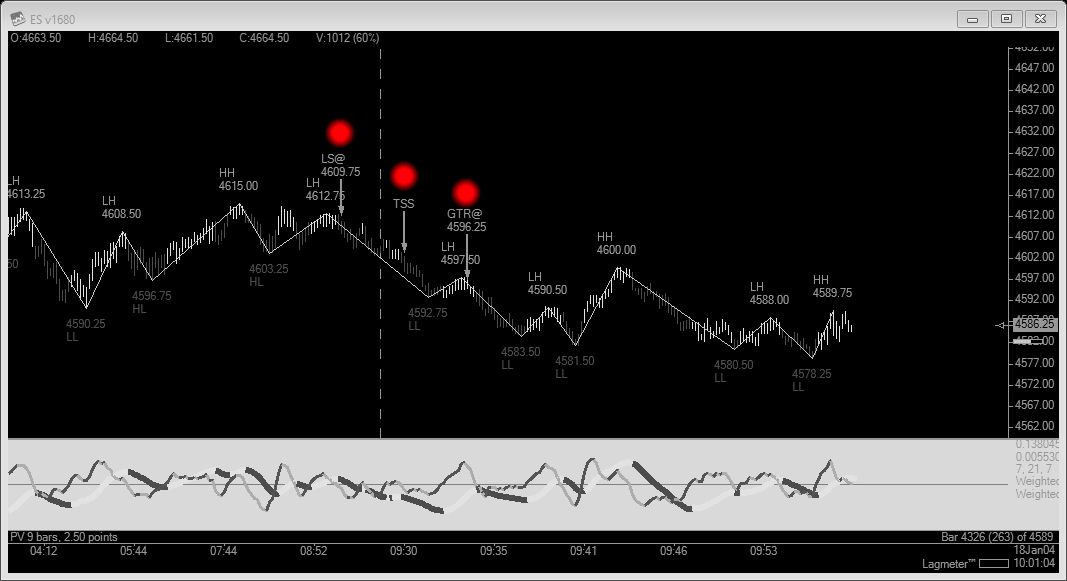
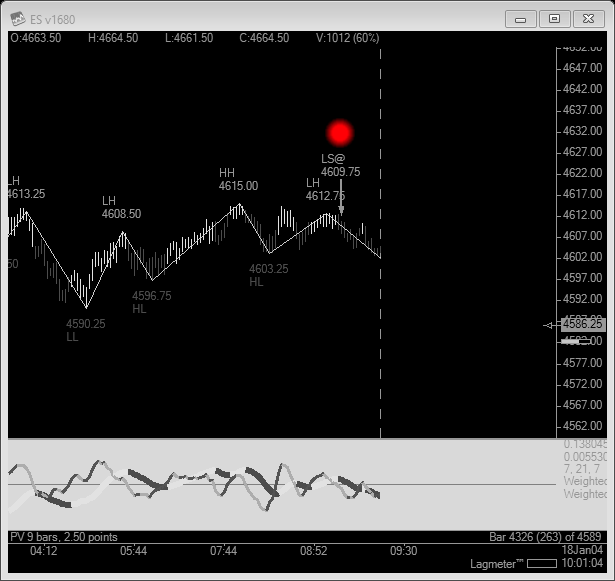
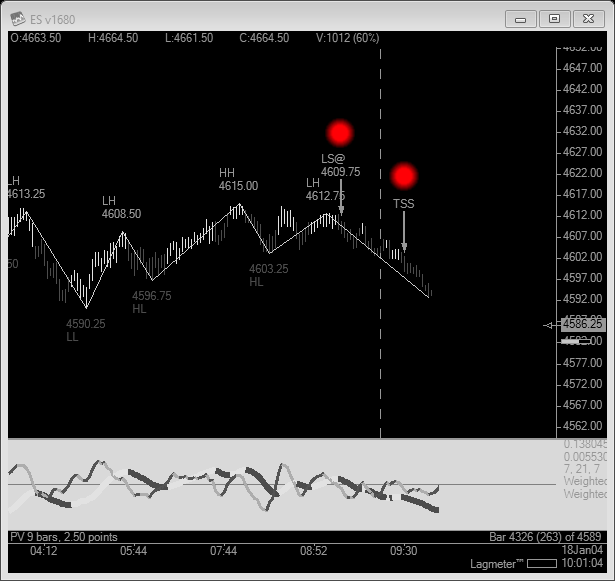
Snapshot to folder + upload
- Personalize your Full name
-
Snapshot in Quick access for the saved location
-
Attach as file(s) when sending email
-
Not thumbnail, Word/PDF or URL links
-
Not thumbnail, Word/PDF or URL links
-
One attachment per trade
- If you took 3 trades, must have 3 attachments
- Ok for 3rd attachment to show 1st or 2nd trade
- Send your attachments in 1 email
Getting help
- Website - https://vxcharts.com/support
- Search help first, then Send us an email if you can't find a solution
-
Chatroom
- Private message to VX-Support, 1st 3 hours of trading nights
-
Others
- Provide a specific time if you need us to call or remote to your machine.
Inline with COP
- Indicators are present
- Displayed on-screen
- No worries about wrong settings
The Right Intelligence
- Automatic roll over
- Automatic timezone
- Simple playback


So... why VXCharts?
...at the Right price
- 3 different subscription plans
- Monthly/Quarterly and Yearly
3 clicks startup
- Click VXCharts
- Click LiveES
- Click OK


So... why VXCharts?
Built-in Ladder
- Works on weekends
Anything else?
- Local support
- Developed by a trader
- Built-in chatroom

So... why VXCharts?
FREE 7 day trial
Download and sign up at
Prepaid Model
- Software-As-A-Service
- Renewed automatically
- Fees collected on 1st, 6th or 11th
How do I sign up?
PayPal only
3 payment intervals
- Safe and Secure
- Accepts bank accounts
- Accepts credit/debit cards
How do I sign up?
| Per Month | Per Quarter | Per Year |
|---|---|---|
| $54.95/mth | $49.95/month | $46.95/month |
| " | $149.85/payment | $563.40/payment |
Promotion code in your email
For first time traders (Same as the COP promotion)
Enjoy the promotion by using the code/link
(Check the spam folder if you don't get an email)
Click on Find out More and Pick a plan
Enjoy the promotion by using the code for Monthly, Quarterly or Annual
Check out with PayPal and click on Confirm Payment
You can verify the amount in your PayPal account
[ Sign up ]
-
VXCharts
- Monthly subscription fees
-
Broker
- Monthly data fees
- Trading commissions
- Account inactivity fees
All trading fees
Give us some feedback
Survey
Any last questions?

2. Subscribe to VXCharts with promotion code
1. Test out LiveES and chatroom
3. Open and fund a live account with the broker
3 things to do this week

A Success Trader!
~ end ~